> For the complete documentation index, see [llms.txt](https://docs.parallels.com/landing/llms.txt). Markdown versions of documentation pages are available by appending `.md` to page URLs; this page is available as [Markdown](https://docs.parallels.com/landing/pdfm-ug/v20-es-es/guia-del-usuario-de-parallels-desktop-para-mac-20/preferencias-de-parallels-desktop-y-configuracion-de-maquina-virtual/configuracion-de-maquina-virtual/configuracion-de-hardware/chip-tpm.md).
# Chip TPM
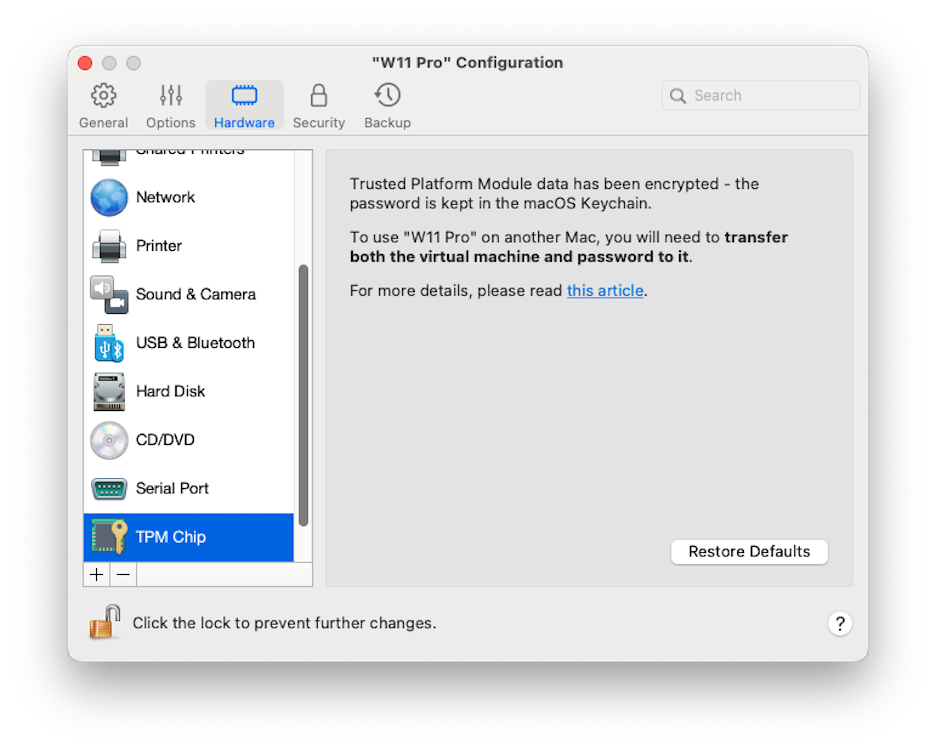
El módulo de plataforma segura (TPM) añadido a la configuración de la máquina virtual le permite proteger sus datos frente a accesos no autorizados y utilizar características de seguridad de Windows adicionales como [BitLocker](https://learn.microsoft.com/es-es/windows/security/operating-system-security/data-protection/bitlocker/configure?tabs=common) y Windows Hello.
Al añadir TPM a una máquina virtual, se activa por defecto.
{% hint style="info" %}
**Nota**: Todas las máquinas virtuales Windows 11 se crean con TPM activado de forma predeterminada y no pueden arrancar sin él.
{% endhint %}
No se recomienda que se añada TPM si no va a utilizar [BitLocker](https://learn.microsoft.com/es-es/windows/security/operating-system-security/data-protection/bitlocker/configure?tabs=common). Si añade TPM por defecto y no configura BitLocker en Windows, puede eliminar TPM sin que se produzcan consecuencias graves. Sin embargo, si configura BitLocker y, a continuación, elimina TPM, podría experimentar problemas durante el arranque y el inicio de sesión. Windows le pedirá que introduzca la clave de recuperación durante el inicio. Para obtener más información sobre lo que debe hacer en este caso, consulte [este artículo de la base de conocimiento](https://kb.parallels.com/122702).
{% hint style="warning" %}
**Nota**: La información relacionada con TPM se almacena en el llavero del Mac. No puede iniciar la máquina virtual en otro Mac sin esta información a menos que ese Mac haya iniciado sesión en la misma cuenta de Apple y la opción de sincronización de llavero esté activada. Para transferir manualmente la información relativa a TPM, consulte el artículo de la base de conocimiento mencionado anteriormente.
{% endhint %}
---
# Agent Instructions
This documentation is published with GitBook. GitBook is the documentation platform designed so that both humans and AI agents can read, navigate, and reason over technical content effectively. Learn more at gitbook.com.
## Querying This Documentation
If you need additional information that is not directly available in this page, you can query the documentation by asking a question.
Perform an HTTP GET request on the following URL with the `ask` and `goal` query parameters:
```
GET https://docs.parallels.com/landing/pdfm-ug/v20-es-es/guia-del-usuario-de-parallels-desktop-para-mac-20/preferencias-de-parallels-desktop-y-configuracion-de-maquina-virtual/configuracion-de-maquina-virtual/configuracion-de-hardware/chip-tpm.md?ask=&goal=
```
`ask` is the immediate question: it should be specific, self-contained, and written in natural language.
`goal` is what the user is ultimately trying to achieve, the reason they need the answer. Sharing it helps GitBook give you a better, more relevant answer. A goal is most helpful when it describes the outcome the user wants rather than restating the question. For example, with `ask=how do I create an API token`, a goal like `automate deployments from our CI pipeline` lets GitBook tailor the answer to that use case.
The response will contain a direct answer to the question and relevant excerpts and sources from the documentation.
Use this mechanism when the answer is not explicitly present in the current page, you need clarification or additional context, or you want to retrieve related documentation sections.