> For the complete documentation index, see [llms.txt](https://docs.parallels.com/landing/llms.txt). Markdown versions of documentation pages are available by appending `.md` to page URLs; this page is available as [Markdown](https://docs.parallels.com/landing/pdfm-ug/v26-it-it/guida-utente-di-parallels-desktop-per-mac-26/preferenze-di-parallels-desktop-e-impostazioni-della-macchina-virtuale/virtual-machine-settings/impostazioni-hardware/chip-tpm.md).
# Chip TPM
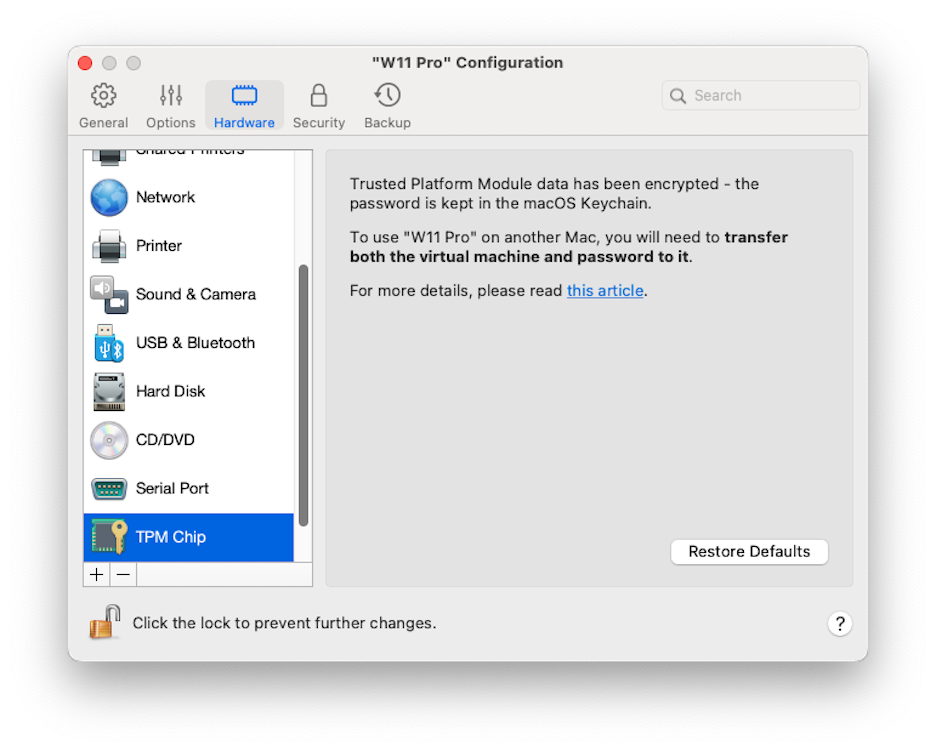
Il TPM (Trusted Platform Module) aggiunto alla configurazione della macchina virtuale ti consente di proteggere i dati dall'accesso non autorizzato e di utilizzare funzionalità di sicurezza di Windows aggiuntive come [BitLocker](https://learn.microsoft.com/it-it/windows/security/operating-system-security/data-protection/bitlocker/configure?tabs=common) e Windows Hello.
Quando aggiungi un TPM a una macchina virtuale, per impostazione predefinita è automaticamente abilitato.
{% hint style="info" %}
**Nota**: tutte le macchine virtuali Windows 11 sono create con TPM abilitato per impostazione predefinita e non possono avviarsi senza di esso.
{% endhint %}
Non è consigliabile aggiungere il TPM se non prevedi di utilizzare [BitLocker](https://learn.microsoft.com/it-it/windows/security/operating-system-security/data-protection/bitlocker/configure?tabs=common). Se aggiungi un TPM per errore e non hai configurato BitLocker in Windows, puoi rimuoverlo senza conseguenze drastiche. Se tuttavia hai configurato BitLocker e quindi rimuovi il TPM, potresti riscontrare problemi di avvio e accesso: Windows potrebbe richiederti di immettere la chiave di ripristino all'avvio. Per informazioni su come procedere in questo caso, consulta [questo articolo della Knowledge Base](https://kb.parallels.com/122702).
{% hint style="warning" %}
**Nota**: le informazioni correlate al TPM sono memorizzate nel Portachiavi Mac. Senza queste informazioni non puoi avviare la macchina virtuale su un altro Mac, a meno che tale Mac sia registrato nello stesso Apple Account e l'opzioni di sincronizzazione del Portachiavi sia abilitata. Per trasferire manualmente le informazioni relative al TPM. consulta l'articolo della KB menzionato sopra.
{% endhint %}
---
# Agent Instructions
This documentation is published with GitBook. GitBook is the documentation platform designed so that both humans and AI agents can read, navigate, and reason over technical content effectively. Learn more at gitbook.com.
## Querying This Documentation
If you need additional information that is not directly available in this page, you can query the documentation dynamically by asking a question.
Perform an HTTP GET request on the following URL with the `ask` and `goal` query parameters:
```
GET https://docs.parallels.com/landing/pdfm-ug/v26-it-it/guida-utente-di-parallels-desktop-per-mac-26/preferenze-di-parallels-desktop-e-impostazioni-della-macchina-virtuale/virtual-machine-settings/impostazioni-hardware/chip-tpm.md?ask=&goal=
```
`ask` is the immediate question: it should be specific, self-contained, and written in natural language.
`goal` is what the user is ultimately trying to achieve, the reason they need the answer. Sharing it helps GitBook give you a better, more relevant answer. A goal is most helpful when it describes the outcome the user wants rather than restating the question. For example, with `ask=how do I create an API token`, a goal like `build a script that syncs our docs to a CMS` lets GitBook tailor the answer to that use case.
The response will contain a direct answer to the question and relevant excerpts and sources from the documentation.
Use this mechanism when the answer is not explicitly present in the current page, you need clarification or additional context, or you want to retrieve related documentation sections.