> For the complete documentation index, see [llms.txt](https://docs.parallels.com/landing/llms.txt). Markdown versions of documentation pages are available by appending `.md` to page URLs; this page is available as [Markdown](https://docs.parallels.com/landing/pdfm-ug/v26-ja-jp/parallels-desktop-for-mac-26-yzzugaido/parallels-desktop-tomashin/mashin/hdowea/tpm-chippu.md).
# TPM チップ
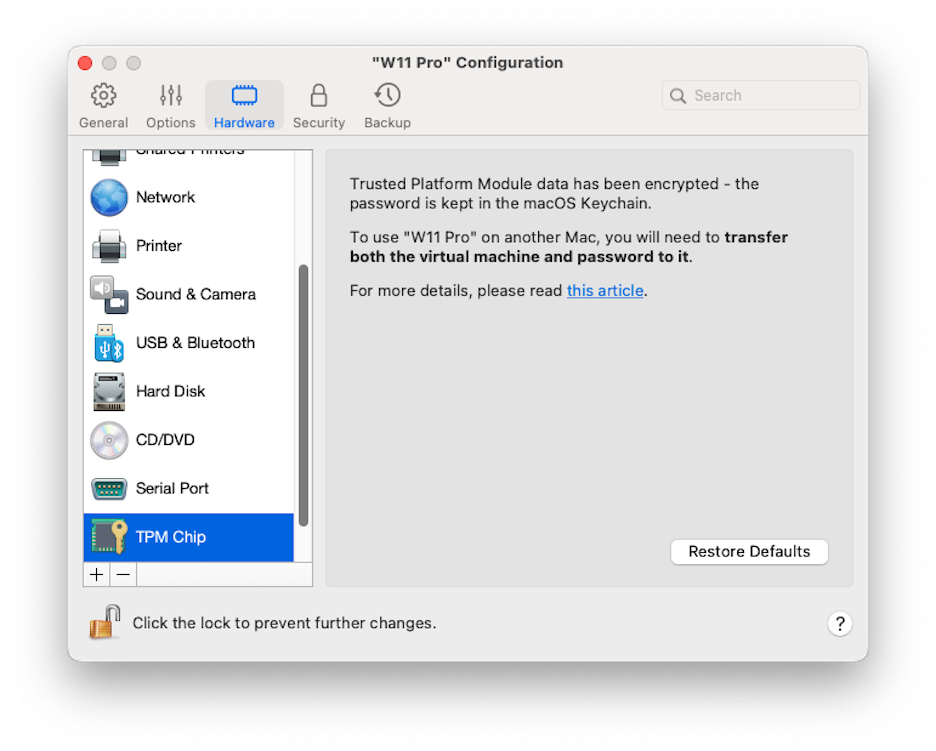
Trusted Platform Module(TPM)を仮想マシンの構成に追加すると、不正なアクセスからデータを保護したり、[BitLocker](https://learn.microsoft.com/ja-jp/windows/security/operating-system-security/data-protection/bitlocker/configure?tabs=common) や Windows Hello などの Windows の追加セキュリティ機能を使用したりできるようになります。
仮想マシンに TPM を追加すると、デフォルトで有効化されます。
{% hint style="info" %}
**注**: Windows 11 仮想マシンは、常にデフォルトで TPM が有効な状態で作成され、TPM なしでは起動できません。
{% endhint %}
[BitLocker](https://learn.microsoft.com/ja-jp/windows/security/operating-system-security/data-protection/bitlocker/configure?tabs=common) を使用する予定がない場合は、TPM を追加することは推奨されません。誤って TPM を追加した場合でも、Windows で BitLocker を設定していなければ、大きな影響を受けることなく TPM を削除できます。ただし、BitLocker を設定した後に TPM を削除すると、たとえば起動時に Windows から回復キーの入力を求められるなど、起動やログインに問題が発生する場合があります。この場合の対処方法については、[こちらのナレッジベースの記事](https://kb.parallels.com/122702)を参照してください。
{% hint style="warning" %}
**注**: TPM に関連する情報は、Mac キーチェーンに保存されます。Mac が同じ Apple Accountアカウントにログインしていて、キーチェーン同期オプションが有効になっていない限り、この情報なしで別の Mac 上で仮想マシンを起動することはできません。TPM 関連情報を手動で転送するには、前述の KB 記事を参照してください。
{% endhint %}
---
# Agent Instructions
This documentation is published with GitBook. GitBook is the documentation platform designed so that both humans and AI agents can read, navigate, and reason over technical content effectively. Learn more at gitbook.com.
## Querying This Documentation
If you need additional information that is not directly available in this page, you can query the documentation dynamically by asking a question.
Perform an HTTP GET request on the following URL with the `ask` and `goal` query parameters:
```
GET https://docs.parallels.com/landing/pdfm-ug/v26-ja-jp/parallels-desktop-for-mac-26-yzzugaido/parallels-desktop-tomashin/mashin/hdowea/tpm-chippu.md?ask=&goal=
```
`ask` is the immediate question: it should be specific, self-contained, and written in natural language.
`goal` is what the user is ultimately trying to achieve, the reason they need the answer. Sharing it helps GitBook give you a better, more relevant answer. A goal is most helpful when it describes the outcome the user wants rather than restating the question. For example, with `ask=how do I create an API token`, a goal like `build a script that syncs our docs to a CMS` lets GitBook tailor the answer to that use case.
The response will contain a direct answer to the question and relevant excerpts and sources from the documentation.
Use this mechanism when the answer is not explicitly present in the current page, you need clarification or additional context, or you want to retrieve related documentation sections.