# Publish applications
After you added an RD Session Host, you can publish applications from it.
To publish an application:
1. In the Parallels RAS Console, select the **Start** category and click the **Publish Applications** item in the right pane.
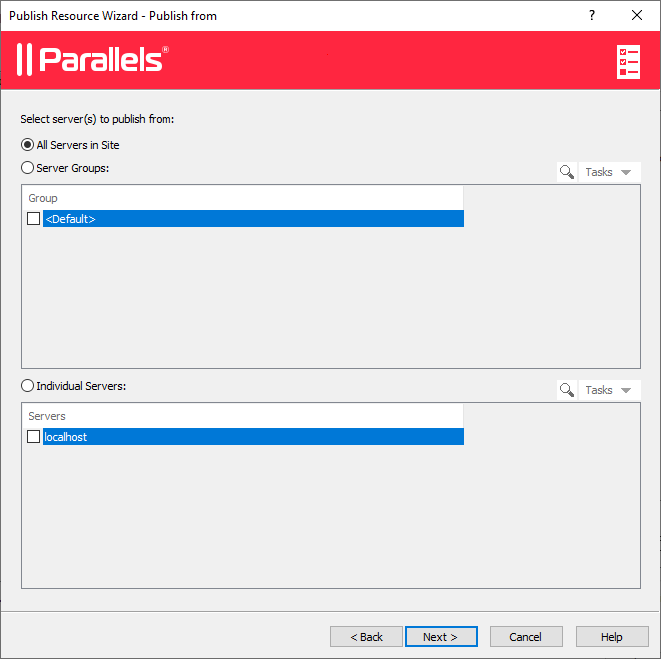
2. The **Publish Applications** wizard opens. On the first page, select one or more servers from which the application should be published. You can select all servers, server host pools, or individual servers.
3. Click **Next**.
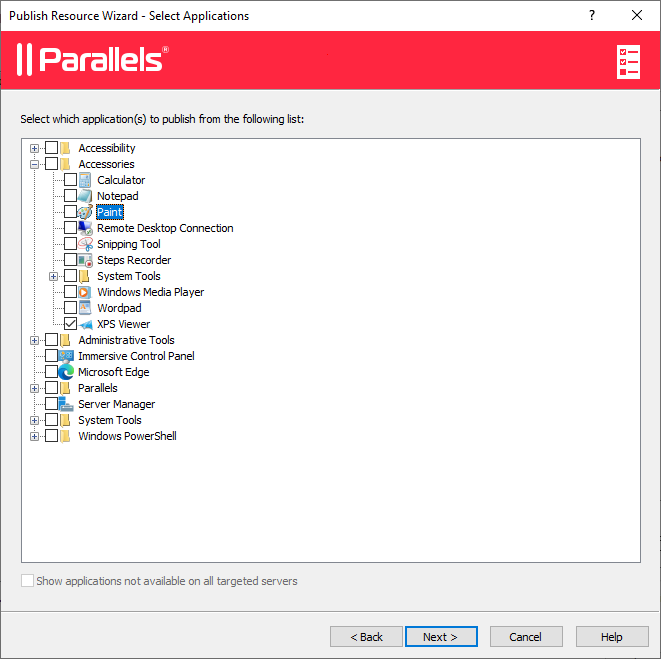
4. On the next page, select one or more applications you want to publish.
If you've selected more than one server on the previous screen, the **Show applications not available on all target servers** option becomes enabled. If the option is cleared (default), the folder tree will contain applications that are available on each and every server that you selected. If the option is enabled, the tree will contain applications that may be available on some server(s), but not on the others.
5. Click **Next**. Review the summary information and click **Next** again.
6. Click **Finish** when ready.
To verify that an application has been successfully published, select the **Publishing** category in the RAS Console. The application should be included in the **Published Resources** list (the middle pane).
---
# Agent Instructions: Querying This Documentation
If you need additional information that is not directly available in this page, you can query the documentation dynamically by asking a question.
Perform an HTTP GET request on the current page URL with the `ask` query parameter:
```
GET https://docs.parallels.com/landing/ras-admin-guide/parallels-ras-21-administrators-guide/getting-started-with-parallels-ras/set-up-a-basic-parallels-ras-farm/publish-applications.md?ask=
```
The question should be specific, self-contained, and written in natural language.
The response will contain a direct answer to the question and relevant excerpts and sources from the documentation.
Use this mechanism when the answer is not explicitly present in the current page, you need clarification or additional context, or you want to retrieve related documentation sections.