# Networking

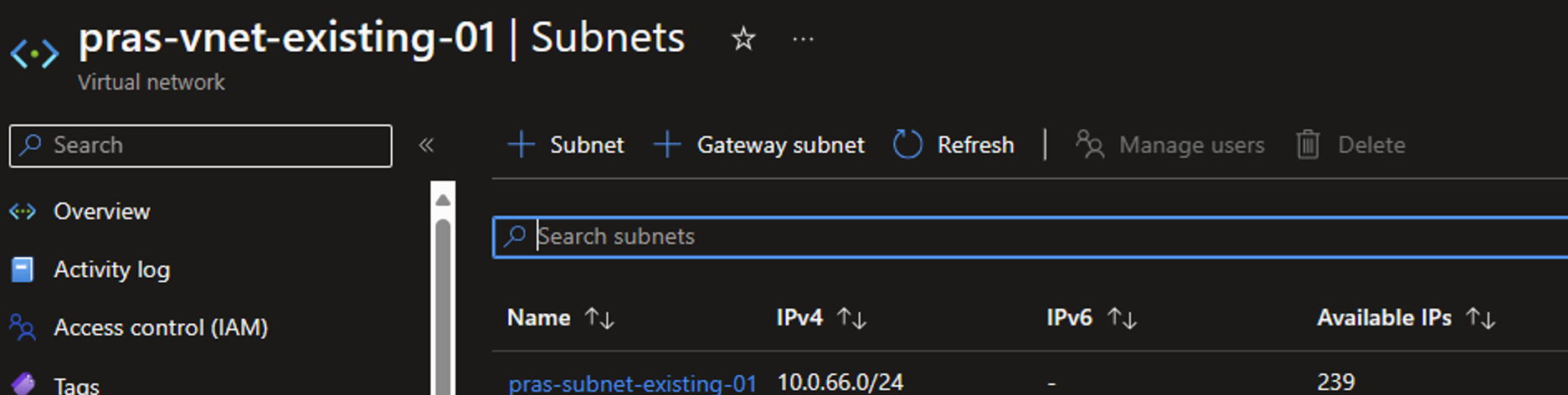
A Virtual Network (VNet) must be in place in Azure and this VNet must contain a subnet. The Parallels RAS infrastructure machines will be joined to this subnet. Ensure the subnet you create or use has enough space to host the number of infrastructure servers you want to create. For more information about creating and changing a VNet see [Create, change, or delete a virtual network](https://learn.microsoft.com/en-us/azure/virtual-network/manage-virtual-network).

<figure><img src="https://content.gitbook.com/content/7XBFIsMTUpdMhrvjVabw/blobs/RHYx4pPDnqzw45I0S40K/Active%20Directory%20Domain%20Services%205.png" alt="Example of a subnet configuration allowing enough space "><figcaption><p>Figure 1. Example of a subnet configuration allowing enough space </p></figcaption></figure>
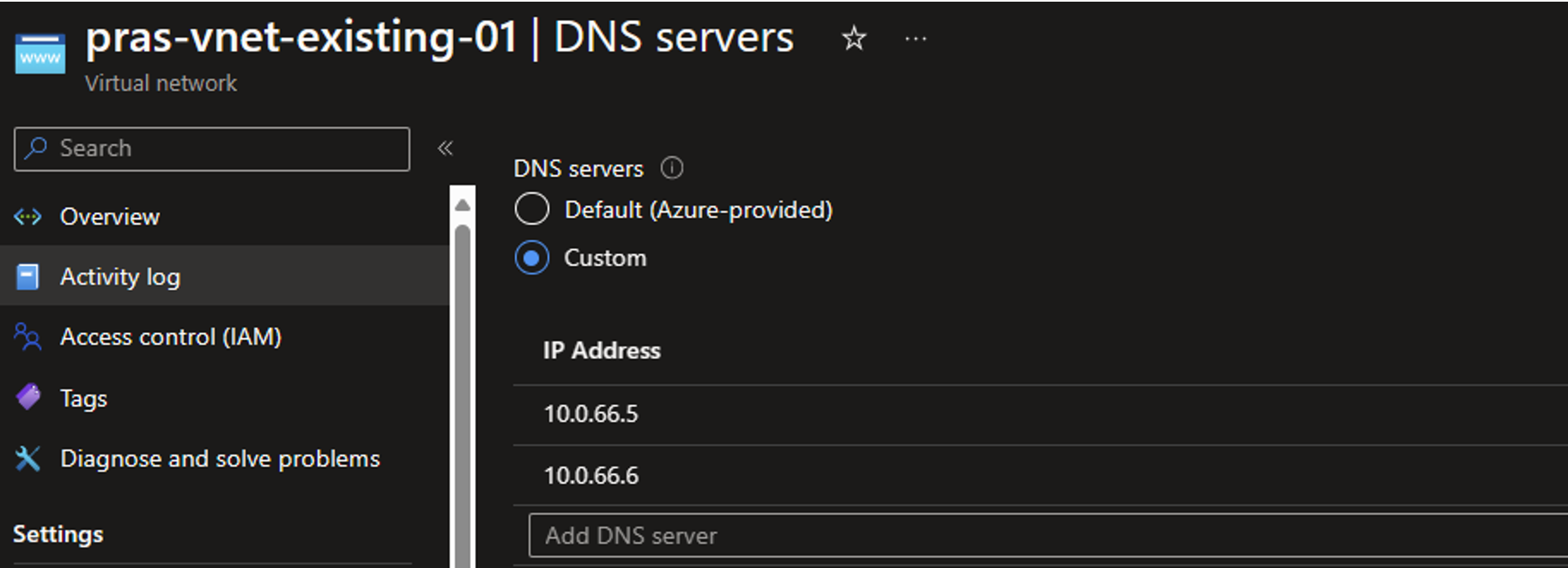
The VNet must have DNS configured to point to your Domain Controllers (see[ **Active Directory Domain Services (ADDS)**](https://docs.parallels.com/landing/ras-azure-marketplace-deployment-guide/v20/introduction/before-you-start/active-directory-domain-services)). For more information about configuring DNS servers on a VNet see [Change DNS servers of a virtual network using the Azure portal](https://learn.microsoft.com/en-us/azure/virtual-network/manage-virtual-network#change-dns-servers-of-a-virtual-network-using-the-azure-portal).

<figure><img src="https://content.gitbook.com/content/7XBFIsMTUpdMhrvjVabw/blobs/7m79zzjmHcxKYRXFrG1H/Active%20Directory%20Domain%20Services%206.png" alt="Example of a DNS configuration pointing to Active Directory Domain Controller"><figcaption><p>Figure 2. Example of a DNS configuration pointing to Active Directory Domain Controller(s) </p></figcaption></figure>

Create a User Assigned Managed Identity and assign it Contributor Permissions on the Virtual Network you want to use, or on the Resource Group where the VNet resides. For more information about creating a user-assigned managed identity, see [Create a user-assigned managed identity](https://learn.microsoft.com/en-us/entra/identity/managed-identities-azure-resources/how-manage-user-assigned-managed-identities?pivots=identity-mi-methods-azp#create-a-user-assigned-managed-identity).

<figure><img src="https://content.gitbook.com/content/7XBFIsMTUpdMhrvjVabw/blobs/OPcEv0c5Ia6qM05GHvMH/Active%20Directory%20Domain%20Services%207.png" alt="Example of User-Assigned Managed Identity and permissions on VNet"><figcaption><p>Figure 3. Example of User-Assigned Managed Identity and permissions on VNet</p></figcaption></figure>


---

# Agent Instructions: Querying This Documentation

If you need additional information that is not directly available in this page, you can query the documentation dynamically by asking a question.

Perform an HTTP GET request on the current page URL with the `ask` query parameter:

```
GET https://docs.parallels.com/landing/ras-azure-marketplace-deployment-guide/v20/introduction/before-you-start/networking.md?ask=<question>
```

The question should be specific, self-contained, and written in natural language.
The response will contain a direct answer to the question and relevant excerpts and sources from the documentation.

Use this mechanism when the answer is not explicitly present in the current page, you need clarification or additional context, or you want to retrieve related documentation sections.
