> For the complete documentation index, see [llms.txt](https://docs.parallels.com/landing/llms.txt). Markdown versions of documentation pages are available by appending `.md` to page URLs; this page is available as [Markdown](https://docs.parallels.com/landing/ras-mac-client-guide/using-parallels-client-for-mac/modifying-parallels-client-preferences.md).
# Modifying Parallels Client Preferences
To modify Parallels Client preferences, click **Parallels Client** > **Settings** in the main menu.
### **General**
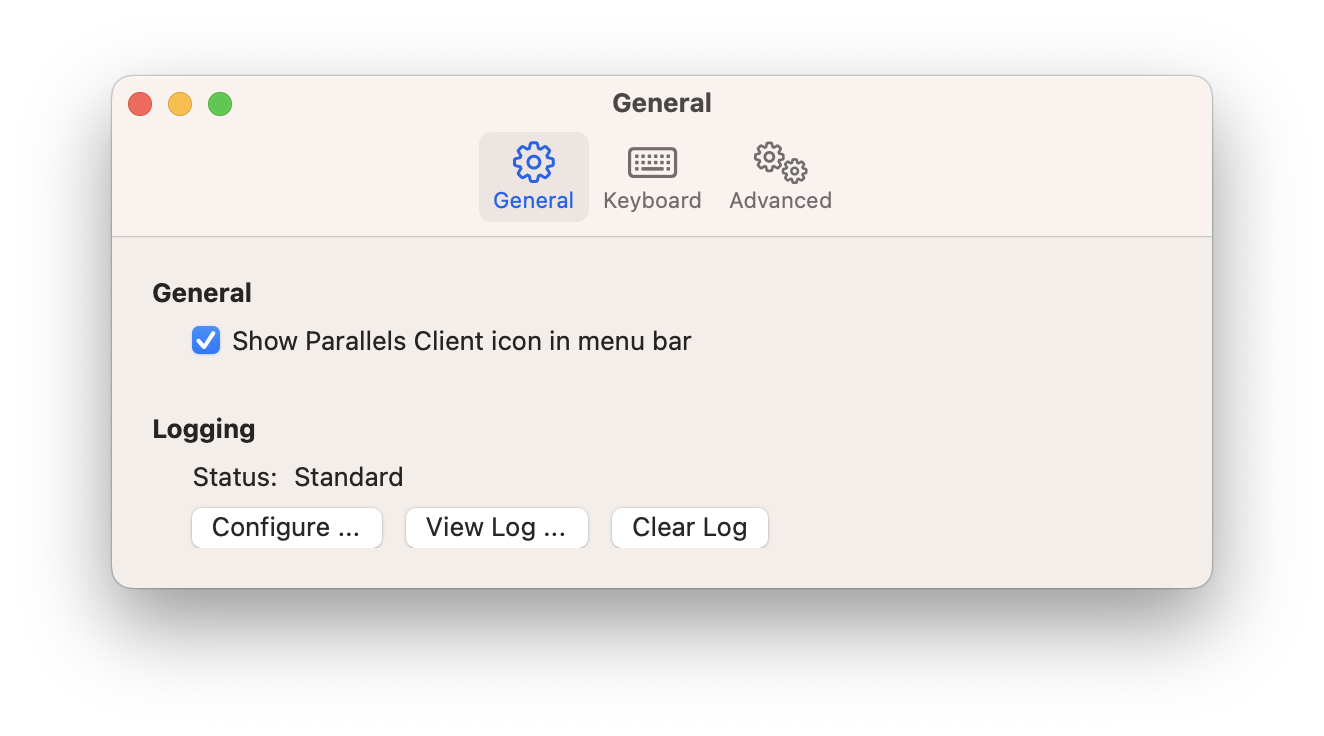
* **Show Parallels Client icon in menu bar**. Adds Parallels Client icon to the Mac menu bar.
* **Logging**. Allows you to set logging level. The **View Log** and **Clear Log** buttons allow you to view and erase the log file.
### **Keyboard**
On the **Keyboard** tab page, you can map macOS modifier keys to Windows keys when sending commands to remote applications or desktops. Use the dropdown menu next to each macOS key to choose its Windows key mapping.
The default mappings are:
macOS Key
Windows Key Mapping
⌃ Left Control
Left Control
⌃ Right Control
Right Control
⌘ Left Command
Left Windows
⌘ Right Command
Right Windows
⌥ Left Option
Left Alt
⌥ Right Option
Right Alt (AltGr)
⇧ Left Shift
Left Shift
⇧ Right Shift
Right Shift
{% hint style="info" %}
**Note**: These key mappings can also be configured by your administrator as a policy. When set as a policy, the mappings may be pre-defined and locked, in which case you will not be able to modify them on this tab.
{% endhint %}
### **Advanced**
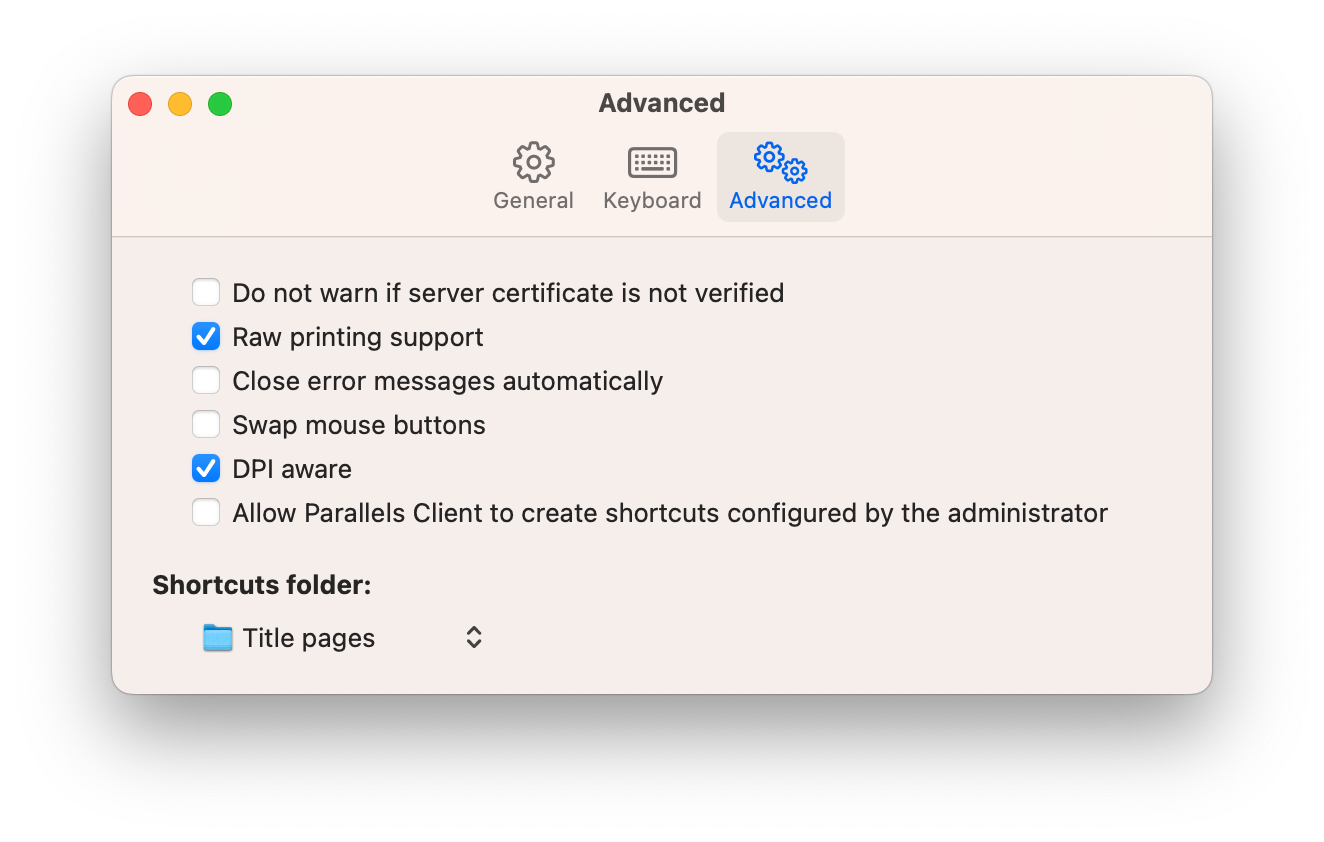
* **Do not warn if server certificate is not verified**. When connected over SSL, and the certificate is not verified, a warning message will be displayed. You can disable this warning message by enabling this option.
* **Raw printing support**. When this option is enabled, printing will work for applications sending data in RAW format.
* **Close error messages automatically**. When this option is enabled, errors that occur during application launch are not shown.
* **Swap Mouse Buttons**. When enabling this setting, the mouse buttons will be swapped on the remote computer.
* **DPI aware**. Select this option when running a remote desktop session on a Retina display for best image quality. Please note that if you are already connected to Parallels RAS, you will need to fully sign out and then sign in for this option to take effect. Please also note that a Windows application must have proper support for HiDPI scaling to look crisp on a Retina display.
* **Allow Parallels Client to create shortcuts configured by the administrator**. Create shorcuts configured by your administrator on the server side.
* **Shortcuts folder**. Select a folder for creating shortcuts.
---
# Agent Instructions
This documentation is published with GitBook. GitBook is the documentation platform designed so that both humans and AI agents can read, navigate, and reason over technical content effectively. Learn more at gitbook.com.
## Querying This Documentation
If you need additional information that is not directly available in this page, you can query the documentation dynamically by asking a question.
Perform an HTTP GET request on the current page URL with the `ask` query parameter, and the optional `goal` query parameter:
```
GET https://docs.parallels.com/landing/ras-mac-client-guide/using-parallels-client-for-mac/modifying-parallels-client-preferences.md?ask=&goal=
```
`ask` is the immediate question: it should be specific, self-contained, and written in natural language.
`goal` is optional and describes the broader end goal you are ultimately trying to accomplish on behalf of the user. GitBook uses it to tailor the answer towards what is most useful for that goal.
The response will contain a direct answer to the question and relevant excerpts and sources from the documentation.
Use this mechanism when the answer is not explicitly present in the current page, you need clarification or additional context, or you want to retrieve related documentation sections.